🚚 D365FO opens the irreversible move from LCS to PPAC
🚚 D365FO opens the irreversible move from LCS to PPAC
Microsoft has opened the self-service migration of existing Finance and Operations environments from Lifecycle Services (LCS) to Power Platform admin center (PPAC) in public preview. It doesn’t move the database or rebuild the infrastructure. It changes the control plane governing the environment lifecycle. After cutover, copy, backup, restore, updates, monitoring, and servicing move to PPAC, while LCS becomes read-only for that environment.
That distinction matters because migration is one-way, per environment, and has no customer-initiated rollback. It doesn’t migrate the whole LCS project or return its environment slot. This is an architecture and operations decision, not a portal redesign.
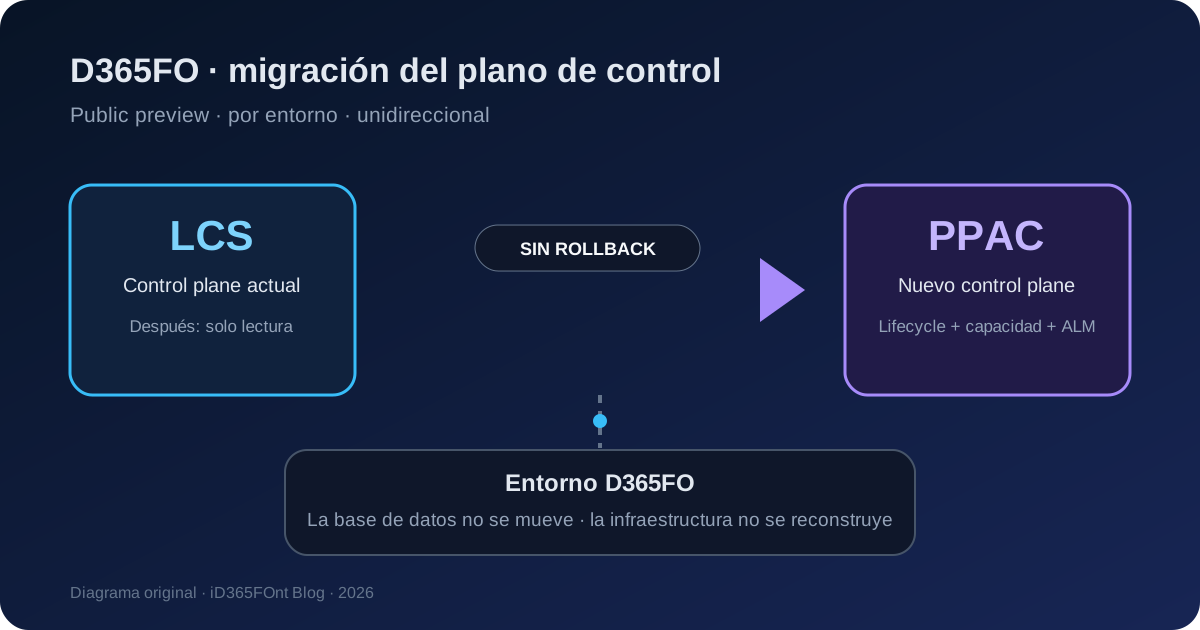
Original diagram. Data stays in the environment; the administration plane and ALM route change.
What changed
The technical guide published on September 22, 2026 confirms that existing customers can start migration from each environment’s details in LCS. The feature checks environment state, Power Platform linking, database capacity, and privileges before enabling the operation.
| Before | Current public preview |
|---|---|
| LCS remained the control plane for existing environments. | An eligible environment can transfer management to PPAC. |
| Deployment and promotion used LCS package workflows. | A migrated environment uses unified packages, Power Platform, and Azure Pipelines. |
| Sizing was associated with LCS environment slots. | The environment consumes the Power Platform capacity model. |
| Transition depended on Microsoft’s schedule. | Customers run a self-service migration per environment. |
Microsoft recommends migrating sandboxes first and doesn’t recommend production during public preview. An action appearing on a production environment isn’t the same as Microsoft recommending production use.
What changes internally
The operation updates metadata across Microsoft services so that PPAC becomes the lifecycle authority. Official guidance confirms that:
- the database isn’t moved;
- environment infrastructure isn’t materially changed;
- the environment is unavailable during part of the process;
- LCS retains a read-only view;
- PPAC takes over environment operations;
- application deployment must move to the unified model.
Estimated downtime is approximately 15 minutes per AOS instance. This is an estimate, not an SLA. Reserve extra time and avoid concurrent lifecycle operations.
The deployment change is roughly:
Before: Azure DevOps -> deployable package -> LCS -> D365FO environment
After:  Azure DevOps -> unified package -> Power Platform pipeline/PPAC -> D365FO environment
Don’t migrate first and adapt CI/CD later. The new deployment route should exist, be tested, and produce the correct artifact before cutover.
Confirmed availability and limits
The capability is in public preview as of September 2026:
| Environment or workload | Status |
|---|---|
| Self-service sandbox | Supported for migration and validation. |
| Self-service production | The action might be available, but Microsoft doesn’t recommend migration during preview. |
| Cloud-hosted developer environment | Unsupported; replace it with a Unified Developer Environment or local VHD. |
| Environment using Dynamics 365 Commerce functionality | Unsupported during public preview. |
One limitation is especially risky: the prerequisite check doesn’t currently detect Commerce usage. Four green indicators in LCS don’t prove eligibility. Teams must verify Commerce separately.
Dual-write isn’t required. Linking the environment to Power Platform is required.
Prerequisites
Before booking a maintenance window, validate and retain evidence that:
- The environment doesn’t use Commerce functionality.
- Its LCS state is Deployed, with no active lifecycle operation.
- It is correctly linked to a Power Platform environment.
- There is no Power Platform database storage-capacity deficit.
- The person starting migration is an administrator of the linked Power Platform environment.
- Cloud-hosted developers have a planned replacement.
- A tested pipeline can build and deploy unified packages.
- Integrations, add-ins, authentication, and critical processes have repeatable test cases.
- The window allows about 15 minutes per AOS plus contingency.
- Users and support teams know about downtime and the lack of self-service rollback.
The capacity check has a financial consequence. After cutover, the environment follows the Power Platform capacity model. Microsoft hasn’t announced a new migration license, but the operational unit used to provision capacity changes. The LCS slot isn’t released and can’t be reused for another environment.
A safe adoption sequence
Treat migration as a wave-based program:
- Deploy Unified Developer Environments and prepare CI/CD alongside the existing process.
- Select a representative, low-criticality sandbox.
- Capture configuration, integrations, inventory, and baseline test results.
- Migrate that sandbox.
- Validate access, environment operations, a code deployment, integrations, and add-ins.
- Run a copy from PPAC and validate the target too.
- Migrate remaining sandboxes one at a time.
- Consider production only when Microsoft recommends it for the release stage and sandbox rehearsal has passed.
Coordinate the last sandbox waves with the ALM cutover. Once migrated, LCS deployment and promotion workflows no longer manage those environments.
Step-by-step migration
1. Open the environment in LCS
Open the project, find the sandbox, and select Full details. Repeat independently for each environment; there is no project-wide migration.
2. Review Power Platform migration (Preview)
Expand the section and require four green checks:
- Environment is in Deployed status;
- Power Platform environment is linked;
- Database storage capacity is available;
- You are an administrator of the linked Power Platform environment.
Add a manual Commerce check because the integrated validation doesn’t cover it.
3. Confirm cutover
Select Migrate to Power Platform Admin Center, review the downtime and one-way warnings, type the environment name exactly, and select Start migration.
Don’t run updates, copies, deployments, or maintenance in parallel. Record start time, operator, environment ID, AOS count, and change ticket.
4. Wait for completion
Keep the window open until Migration status is Migrated, then use Open in Power Platform Admin Center. Don’t treat temporarily unavailable controls as failure or retry while the process is active.
Post-cutover validation
Before approving the next wave, run acceptance tests for:
- administrator and business-user sign-in;
- environment details, health, and monitoring in PPAC;
- backup, restore, copy, servicing, and update availability;
- deployment of a validated customization through the new pipeline;
- batch, printing, Electronic Reporting, and critical services;
- inbound and outbound integrations, endpoints, and authentication;
- installed add-ins;
- an environment copy and target validation;
- updated observability, alerting, and support procedures.
If testing finds a problem, stop subsequent migrations. Returning to LCS isn’t a customer rollback strategy. Contingency means diagnosing and escalating the migrated environment, not reverting its control plane.
Security and governance
Migration requires Power Platform environment administration rights. Use a named or controlled operations identity with MFA and temporary elevation where possible; don’t share a privileged account. Separate wave approval, change execution, and validation.
After cutover, review:
- PPAC administrative roles;
- Azure DevOps and Power Platform connection permissions;
- service connections used by pipelines;
- access to copy, backup, and restore operations;
- retention of change evidence and test results.
The control-plane migration doesn’t automatically change functional roles inside Finance and Operations, but it does change who can perform potentially destructive environment operations.
Resolving prerequisite failures
| Failure | Action |
|---|---|
Environment isn’t Deployed | Wait for active operations and resolve health issues. |
| Power Platform isn’t linked | Complete integration from LCS before migration. |
| Database capacity is missing | Free or purchase capacity until the deficit clears. |
| User isn’t an administrator | Assign the appropriate linked-environment role and refresh LCS. |
| Environment uses Commerce | Don’t migrate during this preview, even if checks are green. |
Practical recommendation
This preview deserves an immediate lab, not a race to production. Build the new ALM path first, rehearse with a low-criticality sandbox, and require a complete copy as proof of the new control plane. State two facts explicitly in change approval: the LCS slot isn’t recovered and the migration has no self-service return path.
The real news isn’t PPAC as a screen. Microsoft now provides the bridge for existing customers to move, environment by environment, from the LCS model to the unified model. That bridge changes administration, capacity, development, and deployment together.